
Security & End-to-End Encryption
Version 1.6 – Last updated: September 10, 2026
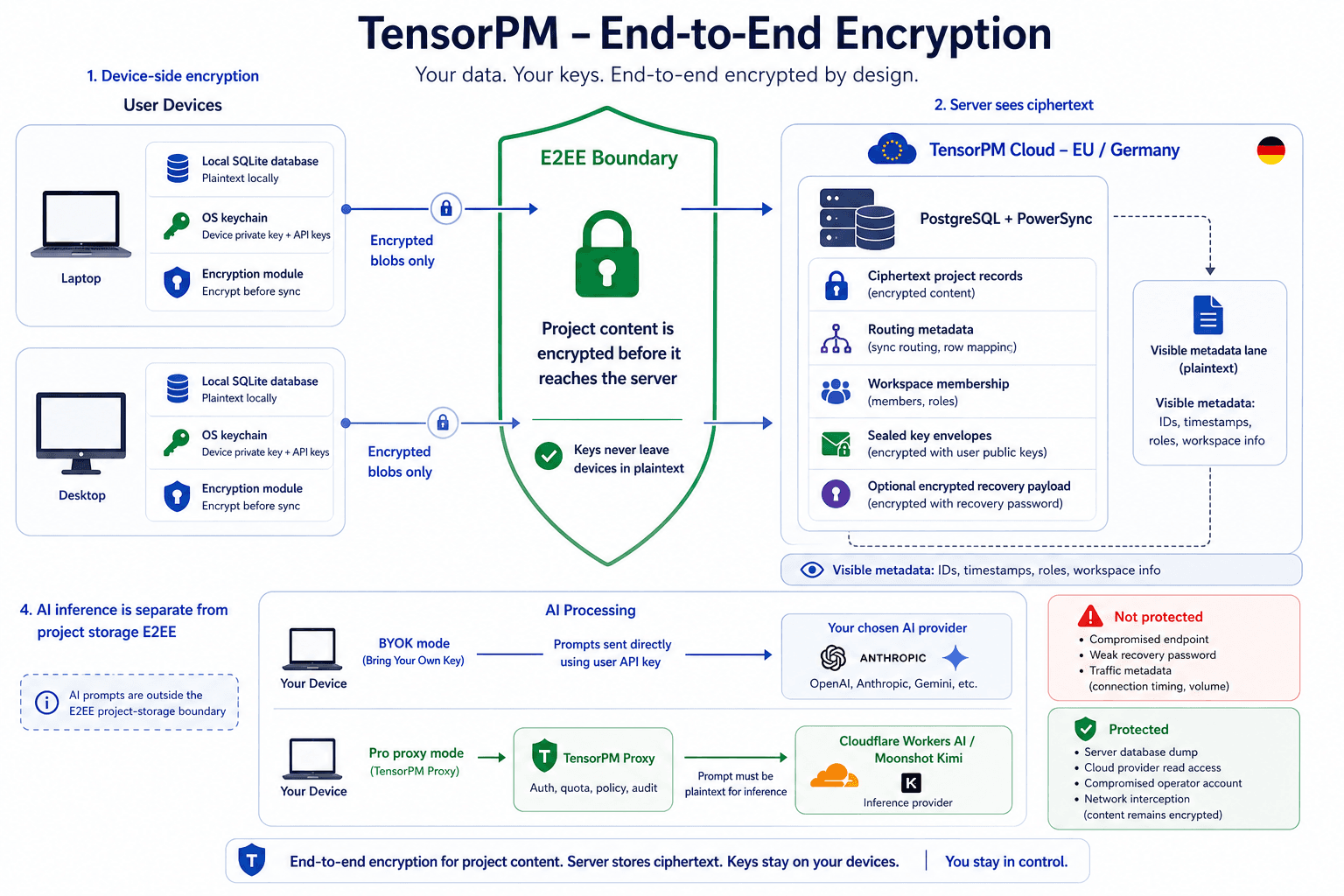
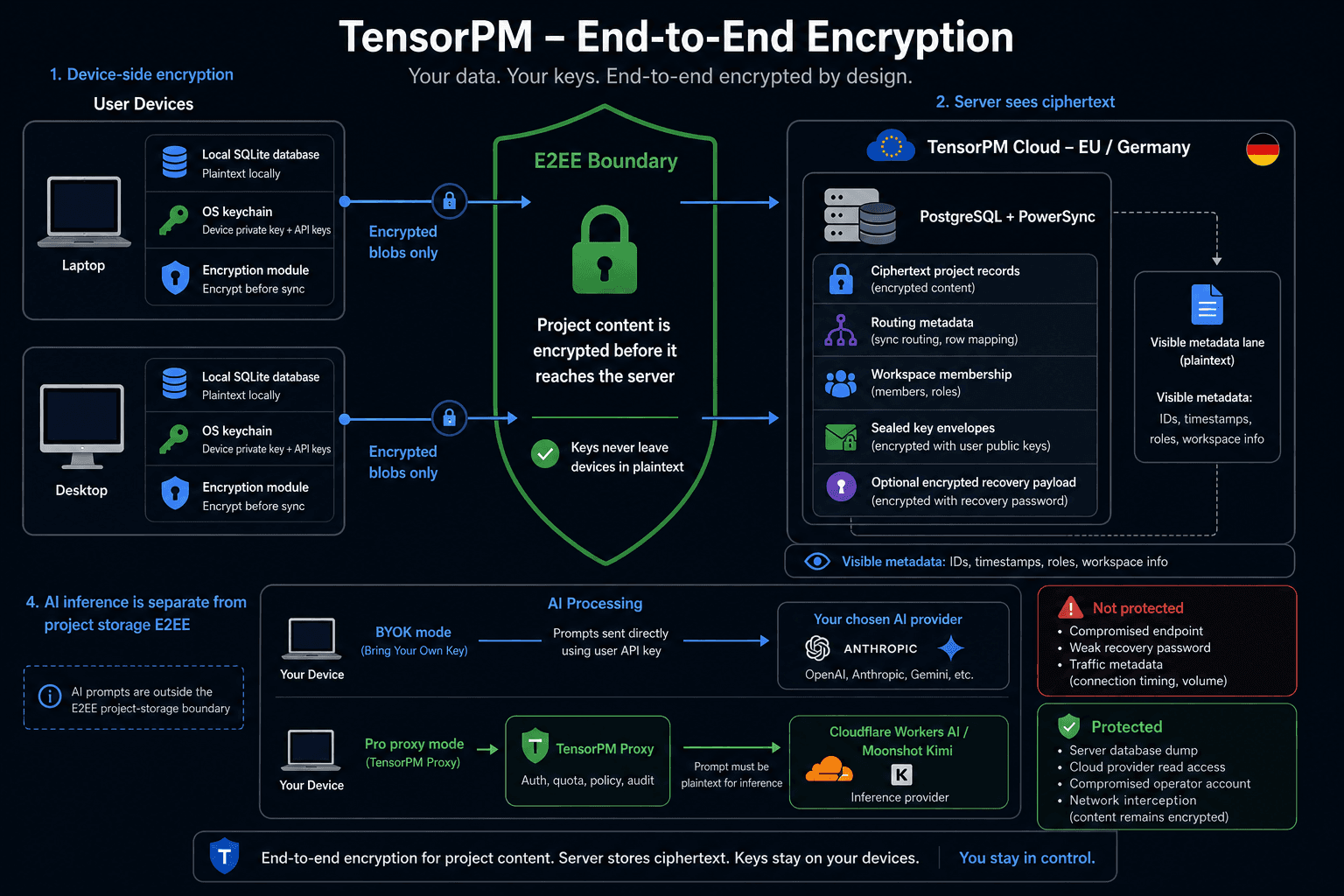
TensorPM is local-first with Cloud Sync available on every plan. In cloud workspaces, project content is encrypted on your device before it reaches our servers. The diagram above shows the architecture; this page focuses on the security promises and limits. A machine-readable version is available at tensorpm.com/SECURITY.md.
1. Summary
Our servers store ciphertext for project content. If our sync database were dumped, an attacker would receive encrypted blobs plus routing metadata, not readable projects, action items, descriptions, deadlines, budgets, or AI-generated summaries.
Keys required for decryption do not leave your devices in plaintext. Current recovery backups may include E2E key material inside an encrypted, server-opaque payload, but TensorPM cannot decrypt that payload.
2. What is encrypted
TensorPM encrypts project content fields before sync, including:
- project names, descriptions, goals, scope, dependencies, timeframe, budget, health, requirements, milestones, and success criteria
- action item text, descriptions, status, dates, color, priority, complexity, impact, and urgency
- category names, project settings, effort tracking, budget tracking, timers, recurring item content, and AI-generated file summaries
3. What remains visible as metadata
Some metadata stays plaintext because the sync engine needs it for routing, collaboration, invitations, billing, or conflict resolution:
- workspace name and description
- workspace members and roles
- stable IDs for workspaces, projects, action items, and display IDs
- server timestamps and routing enums used by the sync protocol
This lets the server count and route records. It does not let the server read what those records are about.
4. Hosting and subprocessors
Encrypted data, metadata, sync traffic, and account processing are hosted on Hetzner Online GmbH infrastructure in Nuremberg, Germany / EU. Device-to-server transport is protected by TLS 1.2+ in addition to E2EE.
Stripe (billing), SendGrid (transactional email), Fireworks AI (proxy AI inference — hosts the DeepSeek V4.1 Flash open-weight model as the active default for compatible text requests; DeepSeek, the developer of DeepSeek V4.1 Flash, is not in the data path), and Google Cloud / Vertex AI (Gemini 3.7 Flash for image and vision requests plus availability fallback) sit outside the E2EE boundary and receive only the data required for their function. Fireworks serves inference from US/global regions on its serverless tier, so EU data residency is not guaranteed on the proxy AI path. For open models, Fireworks states that prompt and generation data is not written to persistent storage without explicit opt-in; volatile prompt caches may remain for several minutes, and service metadata is logged. Vertex AI hosts Gemini 3.7 Flash for image and vision requests and as a fallback for availability or capacity failures affecting compatible text requests. The production Vertex path uses Google's global endpoint, for which Google does not provide an EU ML-processing-location guarantee. Published Gemini models use project-isolated in-memory caching by default for up to 24 hours, and limited abuse-monitoring logs may apply depending on the applicable terms and configuration. Google does not use customer data to train or fine-tune AI/ML models without prior permission or instruction. See the Privacy Statement and Data Processing Agreement.
5. On your device
The canonical working copy lives in a local SQLite database. That local database is plaintext for the signed-in OS user, so full-disk encryption matters: use FileVault, BitLocker, or LUKS/dm-crypt.
Secrets such as device private keys and AI provider API keys are stored in the OS keychain via Electron's safeStorage API where available. E2EE protects synced/cloud storage; it does not protect an unlocked or compromised endpoint.
6. Cryptography
TensorPM uses established primitives from libsodium:
| Purpose | Primitive |
|---|---|
| Record encryption | XChaCha20-Poly1305 |
| Key envelopes between devices | X25519 Sealed Box |
| Password-based recovery derivation | Argon2id, m=64 MiB, t=3, p=4 |
| Randomness | OS CSPRNG via libsodium |
Each encrypted record uses a fresh nonce and is bound to its workspace, table, and primary key via Additional Authenticated Data (AAD), so server-side row swapping fails authentication.
7. Keys and recovery backup
- Device keypair: generated per device and stored locally. The private key never leaves the device in plaintext.
- Workspace key: symmetric key used to encrypt records in one workspace. It is distributed to devices and members as sealed envelopes that only the target device can open.
- Recovery backup: password-encrypted payload stored by the server as ciphertext, salt, and Argon2id parameters. The payload can include workspace keys and encrypted device key material; recovery imports workspace keys and creates a fresh device keypair for the new device.
Password login automatically creates or refreshes the recovery backup when E2E keys exist. Magic-link and passkey logins cannot refresh it because the desktop app does not have your password in those flows. A strong, unique account password therefore matters for recovery security.
8. Account password vs. recovery
Your account password authenticates you to TensorPM services. It is stored server-side only as a one-way password hash. Password reset does not decrypt or re-encrypt existing E2EE content.
If you lose all devices, recovery is possible only when a current password-based recovery backup exists and you still know the password that encrypted it. Without that, TensorPM cannot recover your encrypted content. That is a deliberate property of E2EE.
9. Account sign-in status
TensorPM supports password login, email magic links, and passkeys/WebAuthn on supported platforms. Dedicated TOTP-style 2FA is not currently available.
10. Threat model
Protected against: server database dumps, network interception, cloud-provider read access, and server-side row tampering.
Not protected against: malware or OS-account compromise on your device, weak recovery passwords, traffic analysis on metadata, and historical records already accessible to an ex-workspace member before removal.
11. AI providers and BYOK
Business BYOK mode sends prompts directly from your device to your chosen provider using your own provider key. The TensorPM proxy is not in that path.
In TensorPM Proxy mode, DeepSeek V4.1 Flash on Fireworks AI processes compatible text requests by default. Image and vision requests are processed by Vertex AI Gemini 3.7 Flash, which also serves as a fallback for availability or capacity failures affecting compatible text requests. AI prompts must be plaintext for inference; E2EE protects your stored project graph, not the prompt and project context supplied to an AI model for the request. TensorPM Proxy does not persist prompt or completion content. Provider-side volatile caching and limited logging may apply as described in Section 4; customer data is not used for model training without authorization.
12. Data portability and deletion
- Project export: decrypted project data can be exported from the desktop app. The primary project export format is JSON (
.json). - Diagnostics export: support bundles are separate ZIP files for troubleshooting. They may include app/version information, sanitized workspace and sync status, sync telemetry, recent app logs, and error context. Detailed AI logs are excluded by default and included only if explicitly selected.
- Deletion: account deletion can be requested via info@tensorpm.com. We remove the account, encrypted content blobs, envelopes, recovery payload, and workspace metadata from sync infrastructure, subject to backup retention described in the Privacy Statement and DPA.
- Local copy: server-side deletion does not wipe the local database on your devices.
13. What you should do
- Enable full-disk encryption on every device.
- Use a strong, unique account password and store it in a password manager.
- Keep your recovery backup current; password login refreshes it, magic-link and passkey login do not.
- Revoke unused devices from the app's security settings.
- Lock your machine when away and keep TensorPM updated.
14. What we publish
This page publishes the primitives, key hierarchy, encrypted/plaintext boundary, recovery model, and threat model. We do not publish internal file paths, exploit-relevant implementation details, unreleased crypto changes, or incident-response runbooks.
15. Reporting a vulnerability
Report security issues to info@tensorpm.com. We acknowledge reports within 72 hours and coordinate disclosure in good faith. Please do not file security reports as public bug reports or GitHub issues.