
Account & AI Modes
TensorPM separates account/sync capabilities from AI provider configuration.
Account tiers
Free
- local workspaces
- BYOK and local AI possible
- cloud sync only via shared-workspace seat access
Cloud
- cloud workspaces and sync
- shared workspace collaboration
- AI via BYOK or local AI
Pro
- everything in Cloud
- included TensorPM AI usage (
Pro Model)
AI operation modes
No AI
Use TensorPM locally without any provider.
BYOK (Bring Your Own Key)
Connect your own keys for:
- OpenAI
- Anthropic
- Mistral
TensorPM provider (logged in)
When logged in, the model selector can show:
- Lite Model
- Pro Model (for Pro entitlements)
Local AI
TensorPM can connect to local servers, including:
- Ollama
- LM Studio
- vLLM
- custom endpoint
Model availability rules in UI
The selector only lists models that are currently usable:
TensorPMprovider appears only when logged in- BYOK provider models appear only after successful key validation
Local AIappears only when local AI is enabled and a model is configured
If no provider is usable, the selector stays in AI fallback mode and shows setup guidance.
Current model catalog in codebase
Provider model mappings currently include:
- OpenAI: GPT-5.2, GPT-5 Mini
- Anthropic: Claude Opus 4.6, Claude Sonnet 4.6, Claude Opus 4.5, Claude Haiku 4.5
- Google: Gemini 3.1 Pro (Preview), Gemini 3.5 Flash
- Mistral: Mistral Large 3, Mistral Medium, Mistral Small
Depending on UI context, model selectors may prioritize primary models.
Where to configure
Open Settings:
AItab for provider/model/keys/local AIUsertab for login, subscription, workspace management
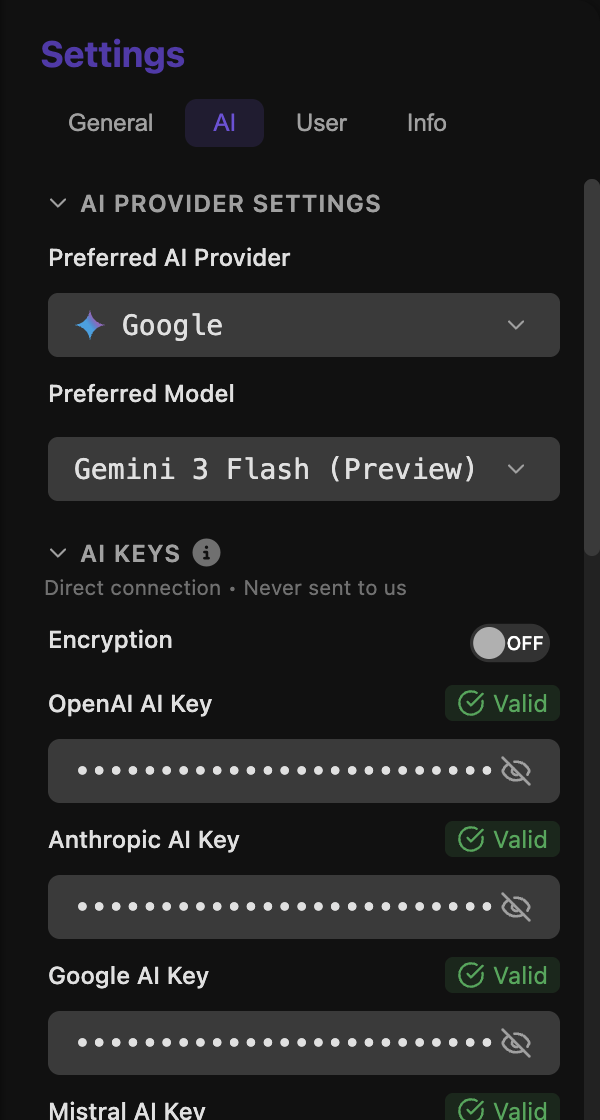
AI settings keep local BYOK usage, cloud usage, and provider choice clearly separated.
Key security
BYOK keys are stored locally. Optional local encryption can be toggled when secure storage is available.
Extra integrations in AI settings
The AI settings area also includes:
- provider rate-limit tuning
- GitHub Copilot sub-agent toggle (when available)
Next steps
- Daily AI workflows: AI Panel & Quick Actions
- Sync and workspace behavior: Cloud Sync
- Full settings overview: Settings & Backups