
Guidance
Guidance helps you prioritize based on context quality, execution readiness, and goal coverage.
Modes
Guidance supports two modes in the header:
- AI+
- User
In User mode, you can open custom priority configuration (Configure custom priority) for deterministic manual prioritization behavior.
AI+ tabs
Current main tabs are:
- Context
- Strategic
- Execution
- Coverage
Execution tab structure
Inside Execution, AI mode uses two sub-tabs:
- Action Items
- Critical Path
Action Items is optimized for day-to-day prioritization. Critical Path focuses on dependency-aware execution order, step groups, and parallelization hints.
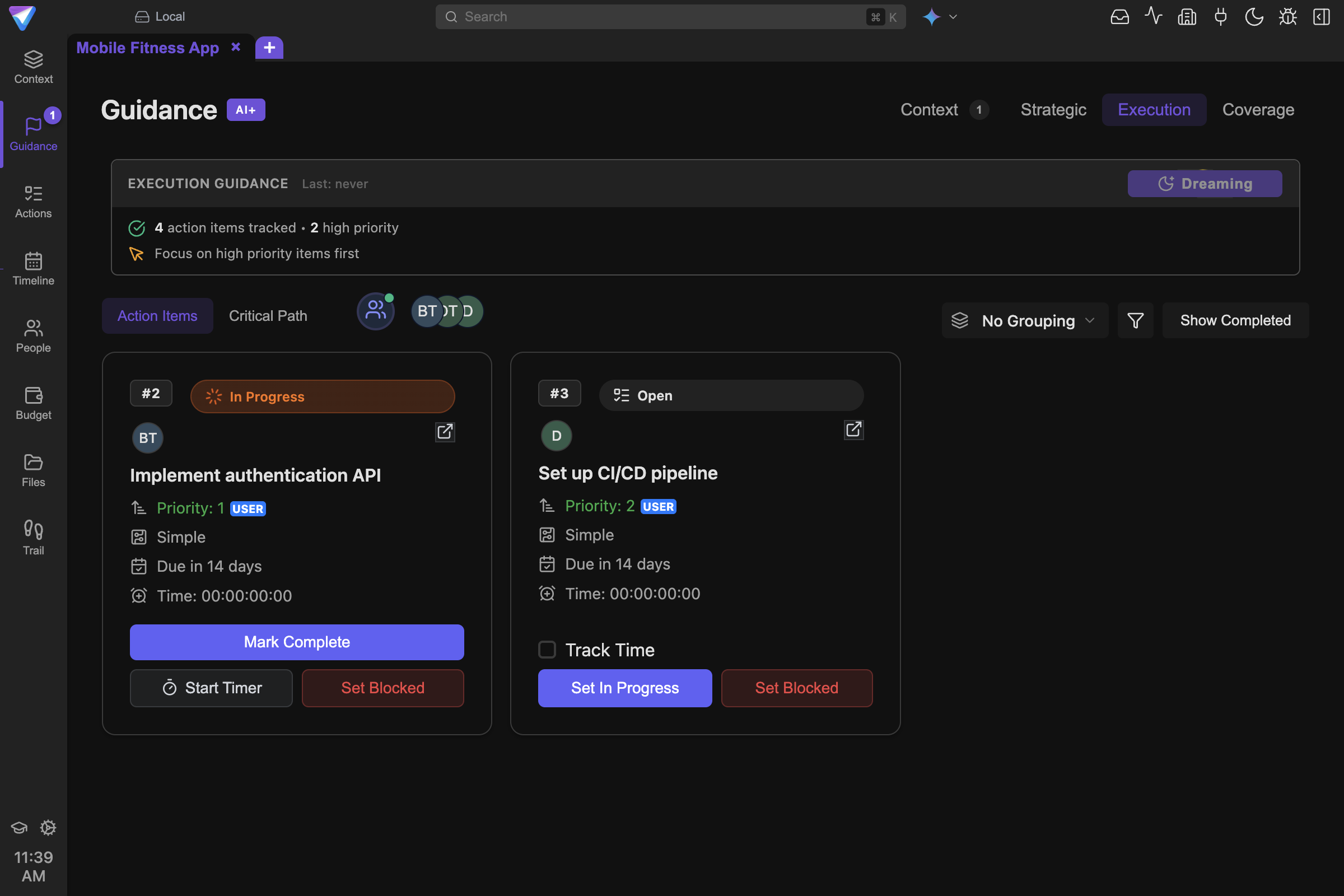
Guidance turns project context into execution order and attention for the next round of work.
Execution controls in AI mode
Execution controls include:
- assignee selection via cascaded avatar selector
- optional grouping (
No Grouping,Due Date,Priority,Status,Complexity,Impact,Urgency) - filter/sort panel (status, priority, time tracking, sort key/direction)
- completed visibility toggle (
Show Completed/Show Active)
Availability gates
Some actions are intentionally gated until baseline quality exists:
- Strategic generation checks require Context quality
decentor better. - Execution generation in the Guidance view checks Context quality
needs-improvementor better and at least 2 Action Items. - Coverage quick-action checks require Context quality
decentor better and at least 1 Action Item. - In the current Guidance Coverage tab implementation, the
Analyzebutton itself blocks only when there are 0 Action Items.
This reduces low-signal recommendations from incomplete context.
What each tab is for
Context
Checks data completeness, consistency, and context quality.
Strategic
Finds strategic gaps, alignment issues, and missing work required to reach goals.
Execution
Supports execution ordering and next-step planning (including dependency-aware logic).
Coverage
Analyzes whether current Action Items cover goals and measurable success criteria.
Practical workflow
- Keep Action statuses current.
- Run
Contextafter meaningful changes. - Use
Strategicbefore major scope decisions. - Use
Executionfor ordering and next-step planning. - Use
Coverageto ensure goals/criteria are not under-served.
Next steps
- Execute decisions: Action Items
- Run generation actions directly: AI Panel & Quick Actions
- Improve source context: Project Creation Wizard